CodeZero (Code0) · Cross-Repository Development IDE
CodeZero: An AI-Native Software Development Extension for VS Code
Frigga never takes your codebase. It stays on your machine.
 Claude Code
 Codex
 GitHub Copilot


Git Tree
Every repository you add sits in one workspace, with its branches, commits and history alongside the code itself. You can read what changed and why without opening a second tool.
Repository context


It's not just another AI chat inside your editor.
01
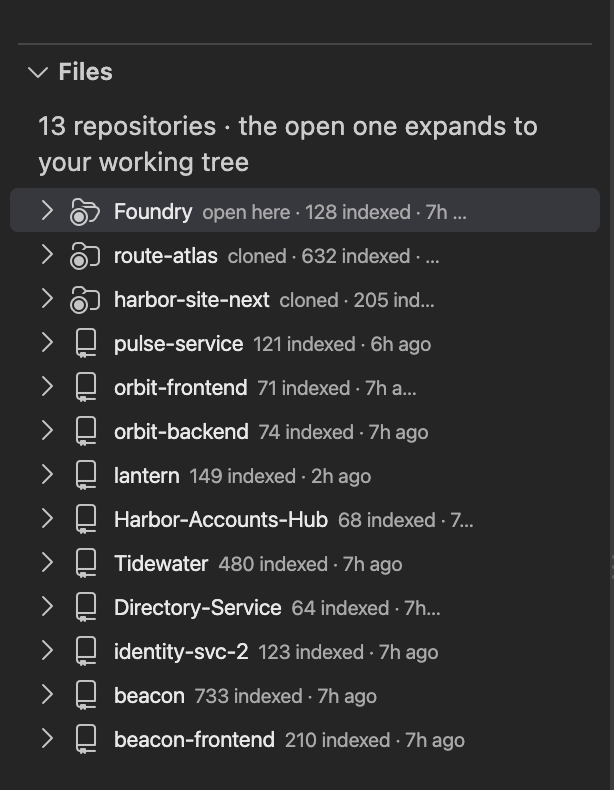
CodeZero starts by learning every repository you add,
02
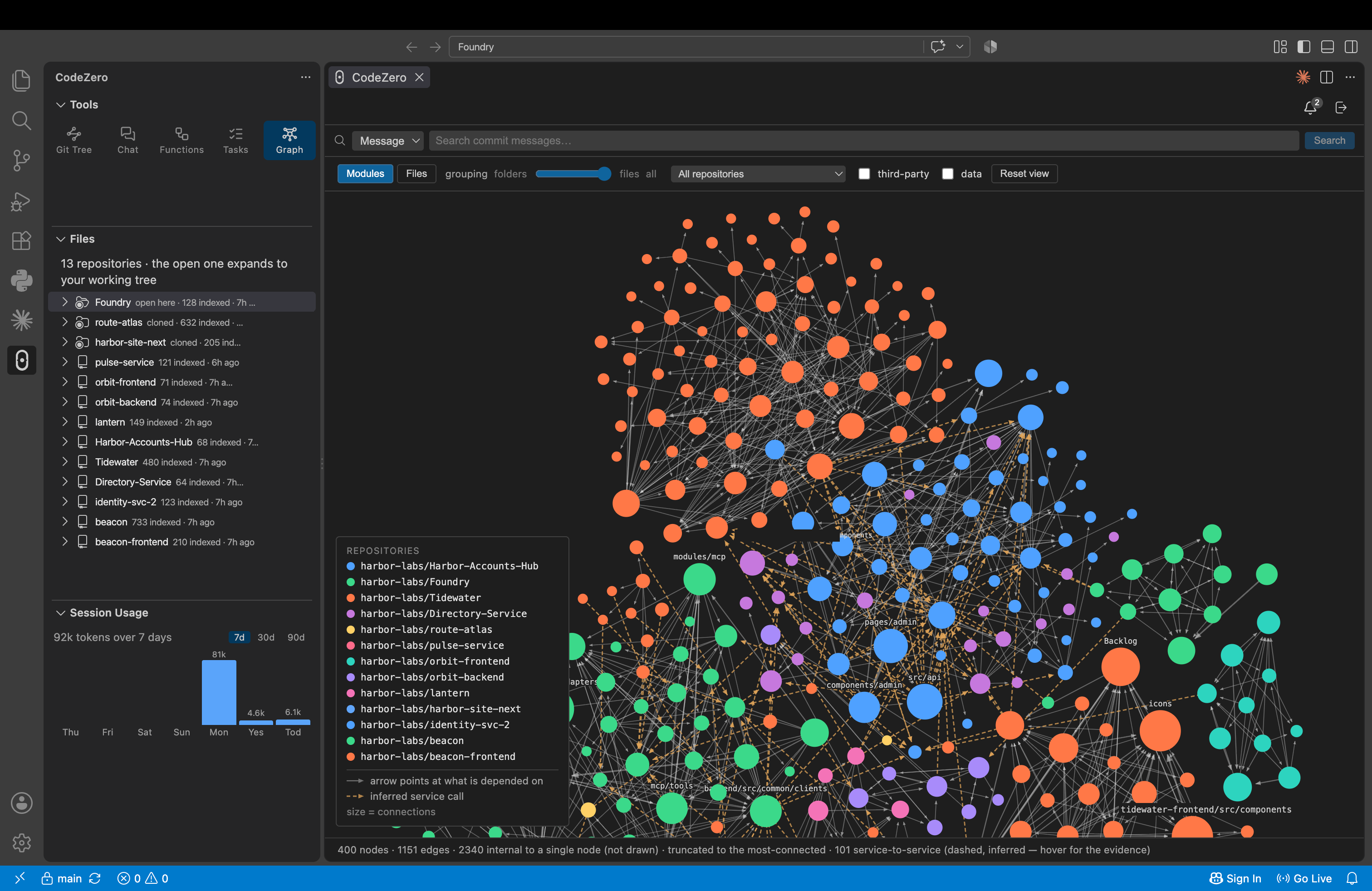
linking every symbol, function and reference into one graph, while your source code stays on your machine.
03
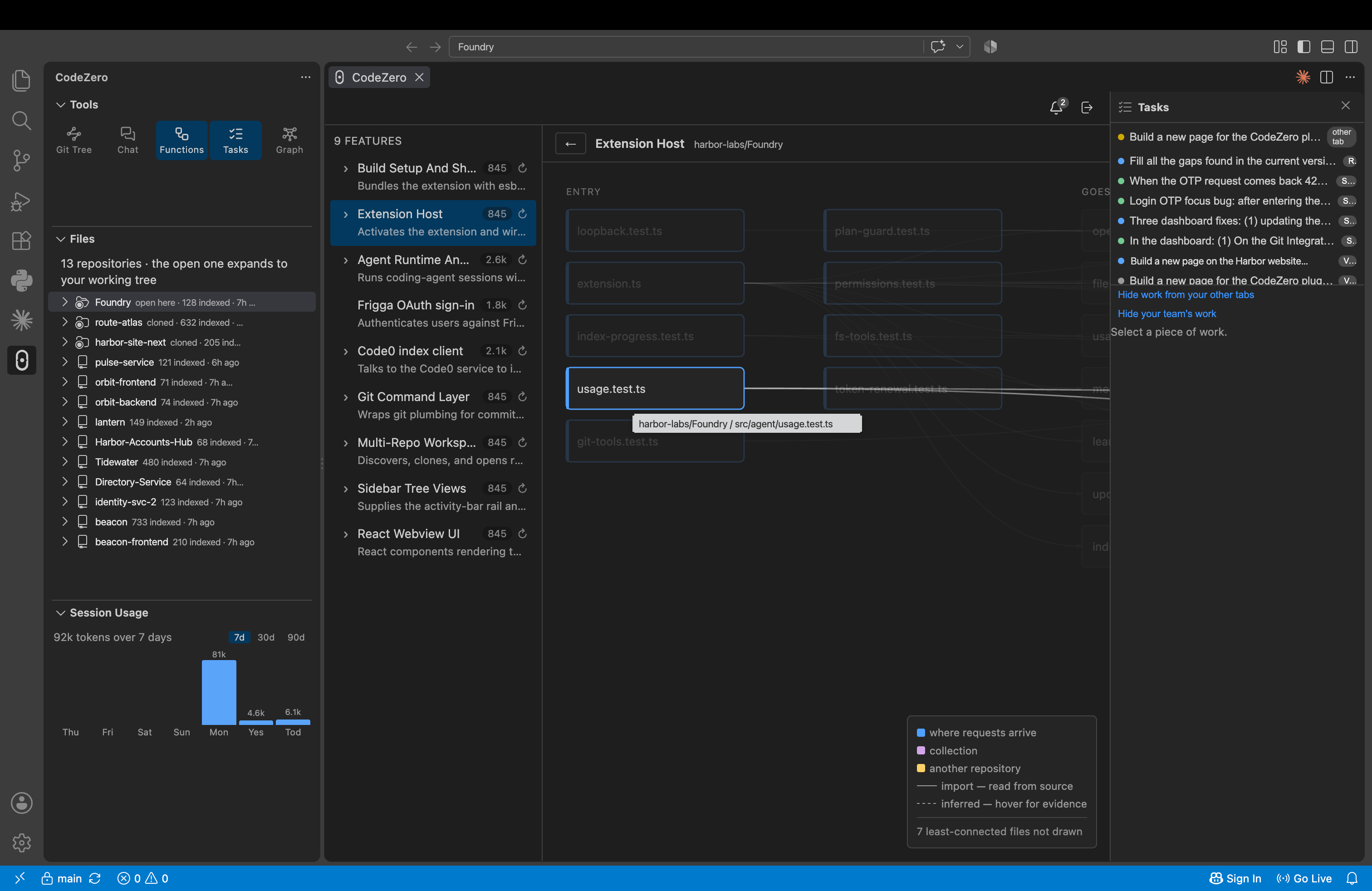
From there CodeZero enhances your prompt with the right code already attached, drafting a detailed execution plan.
04
You approve the plan. CodeZero breaks it into tasks and sub-tasks.
05
Witness the change yourself...
2×
Faster
60%
Less Tokens
~0
Hallucination
60%
Less Prompts.
06
Track the all changes on the Git Tree, and CodeZero will help further summarise the commits.
07
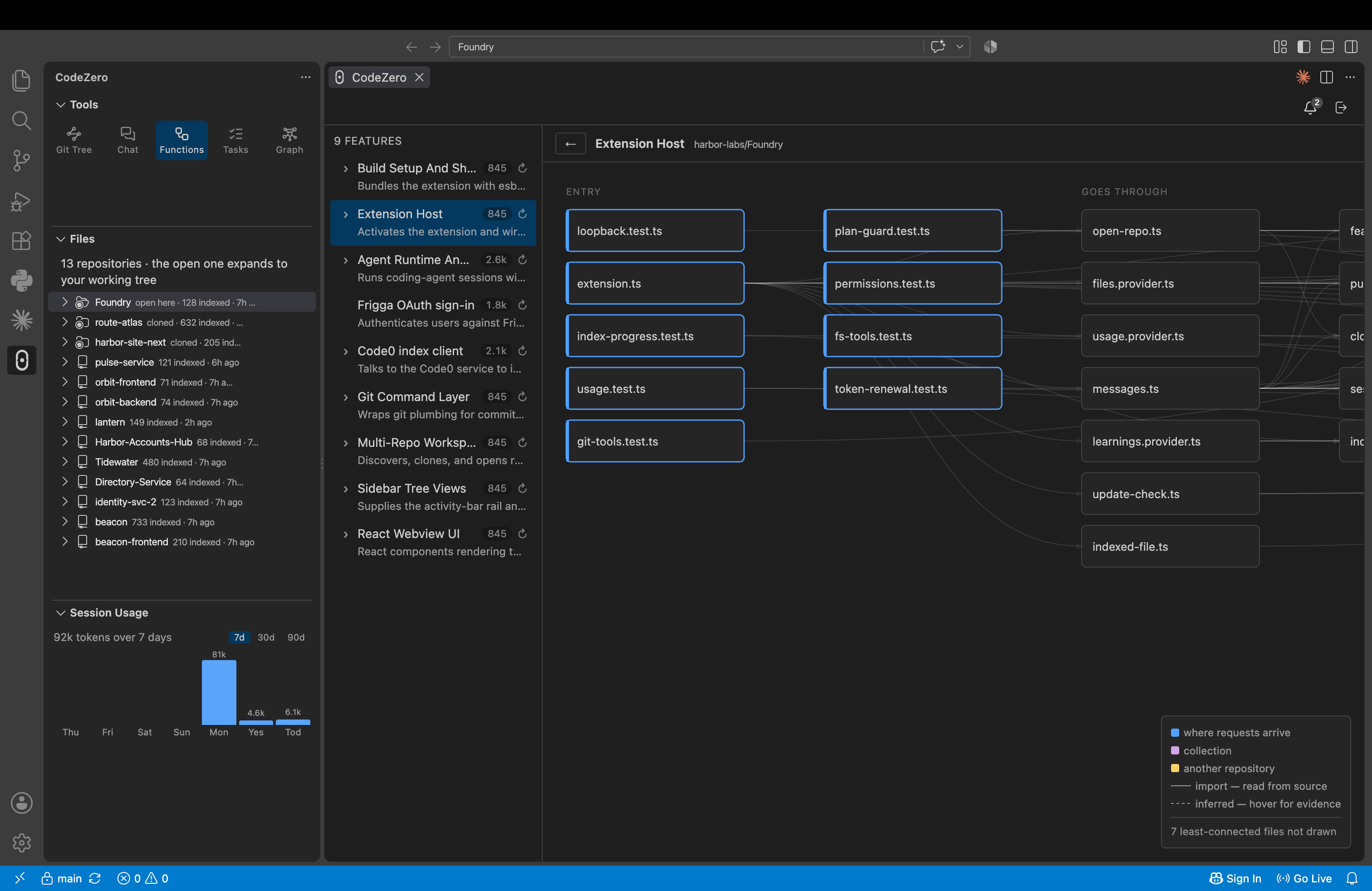
Then it maps every feature in your repositories into a flow diagram, and the learning starts over.
FAQ
What is CodeZero (Code0)?
CodeZero, also written Code0, is an AI engineering workspace inside VS Code. It helps developers and coding agents understand existing software before changing it, bringing repository structure, cross-repository dependencies, product features, plans and Git history into one place, across every repository you add to it.
Does CodeZero replace Claude Code, Codex or Copilot?
No. CodeZero works alongside the coding agent you already use and keeps using that agent's own subscription or API credentials. CodeZero owns the context layer (the cross-repository graph, the relationships between components and the plan under review); your agent owns execution.
How does CodeZero work across several repositories?
Add each repository from inside CodeZero with the + button. CodeZero indexes them on your machine and links them into one graph, so a question in one repository can draw on the others.
Does CodeZero read our source code?
Only on your machine. CodeZero indexes your repositories locally, and Frigga's server receives only a code map (symbol names, imports, routes and dependencies) to build the cross-repository graph, never your files. Your coding agent reads your code locally.
Can I use CodeZero without Claude Code?
Partly. Code Graph, Git Tree, repository browsing and the feature view work without an agent. Agent turns and AI-assisted feature naming need a compatible Claude Code installation.
What's the difference between Code Graph and Feature Mapping?
Code Graph shows how your wider system is connected: modules, files, data and dependencies across repositories. Feature Mapping focuses on one product feature and traces it from where it starts, through the files involved, to the data it reads or writes.
What are Auto, Planned, Normal and Coffee Mode?
They control how changes are made. Auto plans when a change is large or ambiguous and proceeds directly when it isn't. Planned always plans first and blocks edits until you approve. Normal makes no plan and asks you to confirm each edit. Coffee Mode finishes an already-approved plan without step-by-step confirmations, but never commits, pushes, switches branches or runs destructive operations.
How much does CodeZero cost?
Pricing is set with each team. Talk to sales: book a call from the Book a Demo page or email hello@frigga.cloud.